All On Me ringtone
Dirty · 29-second clip
What to tap
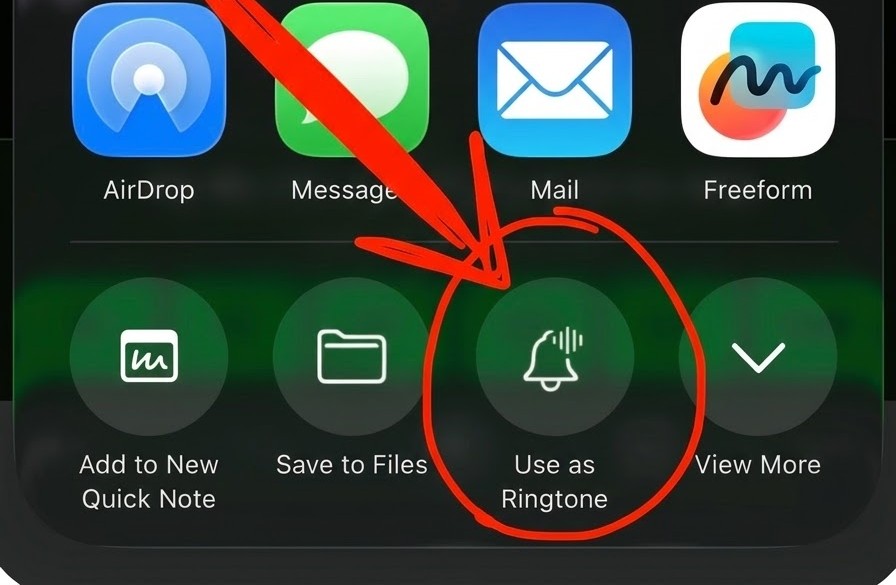
Don’t see “Use as Ringtone”?
- Save the clip to Files.
- Open it in the Files app and tap Share.
- On iOS 26 or newer, scroll through the actions and choose Use as Ringtone.
On older iOS versions, import the downloaded clip into GarageBand, then export it as a ringtone. Apple’s instructions
What to tap
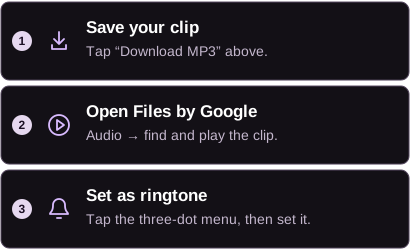
Allow Files by Google to modify system settings if prompted.
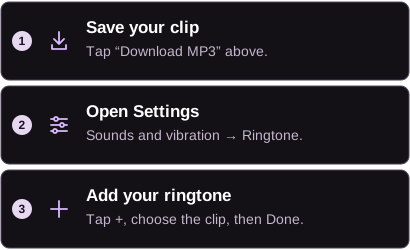
Choose your SIM first if asked. Look in Downloads for the clip.
Need another way?
In your phone’s Settings, search for “ringtone.” Look for Add, +, or My Sounds, then select your downloaded MP3. Menu names vary by phone.